
Clear panel tasks
Each guide focuses on one job, explains why it matters and shows what to check afterwards.
Step-by-step Sonic Panel guides for AutoDJ, playlists, live DJs, encoders, jingles, SSL, social streaming, recordings and player widgets.


Turn AutoDJ on, upload music and build playlists that keep your station playing.
Create DJ accounts and connect encoder software for presenters and live shows.
Point a hostname, use SSL and give listeners cleaner links to your stream.
Record live shows and add station IDs or jingles without overcomplicating the setup.
Open a support ticket if your stream is live and you want us to check the settings.
Use these guides when you want to get something done in Sonic Panel without digging through a long manual. They cover AutoDJ, playlists, DJ accounts, live encoders, recordings, jingles, secure links, custom hostnames and streaming to social platforms.
Choose the task you need help with and work through the steps one at a time.
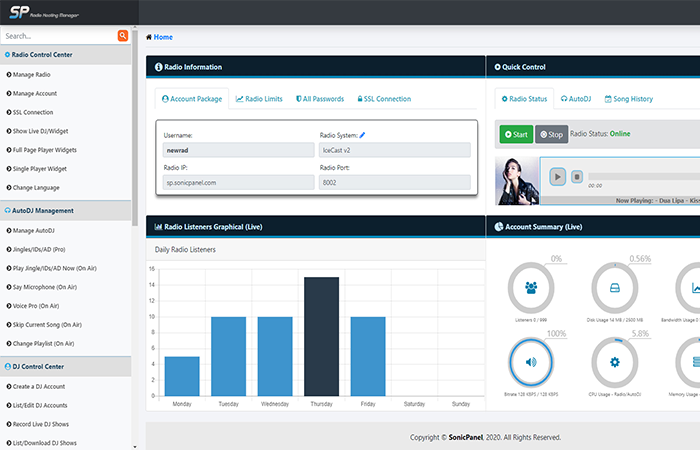 Sonic Panel
Create a playlist in Sonic Panel and upload MP3 tracks so your station has music ready for AutoDJ automation.
View details →Sonic PanelStart Sonic Panel AutoDJ, select the active playlist and get your automated radio station broadcasting.
View details →Sonic PanelCreate secure DJ accounts in Sonic Panel so presenters can broadcast live without using the main station password.
View details →Sonic PanelConnect broadcasting software such as BUTT, VirtualDJ, SAM Broadcaster or RadioBOSS to Sonic Panel for live shows.
View details →Sonic PanelUse Sonic Panel intervals to insert jingles, sweepers and station IDs automatically between tracks.
View details →Sonic PanelUse Sonic Panel browser-based talk-over tools to make announcements over your AutoDJ music without a full studio setup.
View details →Sonic PanelSend your radio station audio to YouTube Live or Facebook Live using Sonic Panel social streaming tools.
View details →Sonic PanelEnable Sonic Panel live show recording so presenter broadcasts can be saved for replay, podcasts or compliance needs.
View details →Sonic PanelUse a custom hostname and SSL certificate in Sonic Panel so your radio stream and player load securely on modern websites.
View details →Sonic PanelGenerate and copy Sonic Panel HTML5 player code so you can embed your radio stream on your website.
View details →Each guide focuses on one job, explains why it matters and shows what to check afterwards.
The wording is aimed at station owners, volunteers and DJs who need practical help quickly.
If a change could affect a live stream or presenter access, you can ask us before making it.
AutoDJ, DJ accounts, playlists, encoder details and player links all make more sense when they are explained in normal language.

Open a support ticket and we can help with hosting, streaming, websites, client areas and station setup.